.svg)


.svg)
A strong claimant-level payment ledger in 2026 should help settlement teams improve redemption rates while reducing manual follow-up. In modern claims disbursements, that means one stable claimant ID, every payment attempt, every compliance hold, and every final disposition in one record. That record becomes the primary source of truth for claimant payment reconciliation and each settlement payout. It shows what was owed, what was attempted, what cleared, what failed, and what still needs action without forcing finance or legal to open a second file.
An event-based, append-only ledger is a strong model once a payment is retried, reissued, reversed, or moved across regulated payout rails. For settlement teams in 2026, a record built around claimant IDs, payment event IDs, compliance checkpoints, and final reconciliation states is well suited to court-ready exports. That structure keeps the file ready for finance, legal, and court review on demand.
This guide walks through the operating model, field design, and workflow needed to create this ledger without manual stitching. Claims administrators, legal operations teams, settlement finance leads, and fiduciaries can use it to support reconciliation workflows, settlement disbursement reporting, and post-distribution review. It also reflects why Talli's digital disbursement infrastructure emphasizes automated KYC verification, OFAC screening, W-9 collection, 1099 workflows, a claimant portal, real-time dashboards, full audit transparency, banking services through Patriot Bank, N.A., Member FDIC, and dedicated segregated accounts designed to preserve settlement-level fund separation.
Based on our analysis of settlement payment operations, the five criteria that determine whether this ledger actually works are identity integrity, status normalization, compliance traceability, daily reconciliation, and reporting readiness.
A clean ledger starts with one stable claimant ID, one payment event model, one normalized status taxonomy, and one reconciliation workflow that captures compliance, retries, reversals, and final disposition in the same record.
Key Takeaways
- A claimant-level payment ledger should be an event-backed source of truth, not a month-end spreadsheet summary.
- The minimum useful ledger tracks claimant ID, payment ID, rail, amount, timestamps, status, exception reason, and final disposition for every payout event.
- Courts and auditors care about per-claimant detail, not just aggregate totals, which is why the ledger must roll cleanly into disbursement reporting.
- Status normalization matters because one claimant may move from ACH to prepaid card, receive a reissue, or remain unclaimed without changing the underlying obligation.
- Talli supports ACH, prepaid Mastercard, PayPal, Venmo, and gift cards, while automating KYC, OFAC screening, W-9 collection, 1099 workflows, and full audit transparency in one digital disbursement infrastructure.
Claimant-Level Payment Ledger Evaluation
The best ledger is not the one with the prettiest export. It is the one that survives retries, reversals, compliance holds, stale balances, and court scrutiny without manual reconstruction. We evaluated the workflow in this guide against five criteria that settlement teams use every day:
These five criteria matter because settlement distributions rarely fail in one dramatic moment. They fail through small gaps: a claimant ID changes after a payment method switch, a returned ACH gets reissued without a linked record, or an OFAC hold sits outside the ledger until legal asks for a report. A well-built ledger prevents those gaps from becoming closeout problems.
Why Manual Claimant-Level Ledgers Break
Manual ledger production gets expensive once the settlement stops behaving like a simple one-file payout. The same claimant may move from approved to initiated, then into OFAC screening, then to a returned ACH, then to a prepaid reissue. If each of those events lives in a different file or on a different export date, claimant payment reconciliation becomes a manual investigation instead of a system report.
The practical pain is not just extra effort. It is a loss of confidence. Finance wants control totals that tie to the funding account. Operations wants an exception queue for unresolved records. Legal wants a court-readable ledger that explains each claimant's final disposition without a second lookup. When those audiences work from separate spreadsheets, the team ends up debating which file is correct instead of resolving the underlying payment issue.
Migration is usually underestimated. A spreadsheet-built ledger may feel cheap at first, but migration gets harder after the team has created separate status files, support logs, and reconciliation tabs that disagree with each other.
Claimant-Level Payment Ledger Prerequisites
Before you automate the ledger, gather the inputs that determine whether the output will reconcile cleanly:
- A stable claimant identifier that does not change when payment method changes
- The settlement allocation file with approved gross and net payment amounts
- The payout rail configuration for ACH, prepaid card, PayPal, Venmo, gift card, or other approved methods
- The compliance data required for KYC, OFAC, and tax collection
- A bank or trust-account structure that preserves settlement-level segregation, especially for QSF workflows
If any of those inputs live in separate spreadsheets, fix that before you automate. A ledger generator can normalize data. It cannot rescue undefined identifiers or conflicting source files.
What Is a Claimant-Level Payment Ledger?
A claimant-level payment ledger is a per-claimant record that tracks the approved obligation, every payment attempt, every compliance hold, and the final disposition of funds in one auditable timeline. In practice, it should let an operator, auditor, or court reviewer trace each claimant from approved allocation through final disposition without opening a second file.
That definition matters because the ledger is not the same thing as a bank statement, a processor export, or a post-distribution accounting. A bank statement shows cash movement. A processor export shows network events. A court report shows narrative totals. The ledger is the operating record underneath all three. It answers the question, "What happened to this claimant's money from approval through final disposition?"
In practical terms, the ledger should let you trace one claimant across every relevant milestone:
- payment approved
- compliance cleared
- payment initiated
- delivery attempted
- payment completed or returned
- payment reissued or escalated
- payment marked unclaimed or resolved
That structure keeps claimant payment reconciliation from collapsing into manual exception handling at the end of the campaign.
Claimant-Level Payment Ledger Failure Points
Manual ledger production breaks because settlement payments do not move in a straight line, and spreadsheets assume they do.
At small volume, a team may be able to merge a claimant list, a bank file, and a payout export by hand. That stops working once any of the following happens:
- one claimant receives multiple payment attempts
- a failed ACH is reissued to a prepaid card
- a payment is delivered but not yet final
- OFAC review pauses one subset of claimants
- tax documentation delays payment release
- supplemental distributions create a second payment cycle
There is also a timing problem. Rail reports, bank activity, and claimant-facing payment statuses do not always update at the same moment. If the ledger cannot preserve event sequencing, control totals, and reversal traceability, the team has to reconstruct the payment story later.
Claimant-Level Payment Ledger Core Fields
Every ledger should capture enough fields to answer identity, amount, method, timing, status, and exception questions without a second lookup.
Start with a canonical ledger table like this:
Those five field groups are the minimum snippet-friendly version. In production, most teams need more depth. A stronger ledger also includes:
- Settlement ID and account ID
- Payment batch ID
- Funding source or segregated account reference
- Bank or rail reference number
- Related payment ID for reversals and reissues
- User or system action that changed the record
- Memo field for claimant communication or legal notes
- Tax form requirement and 1099 status
Automation matters here. Reconciliation-grade reporting requires field depth. A spreadsheet with "name, amount, status" is not a real ledger because it cannot explain retries, reversals, compliance holds, tax documentation, or linked reissues.
Step 1: Assign Stable Claimant and Payment IDs
Start by assigning a stable claimant ID and a stable payment event ID before you move any money.
Use the claimant ID as the permanent identity key across the campaign. Use the payment event ID as the key for each disbursement attempt, reversal, or reissue. That gives you two levels of traceability:
- claimant history across the life of the settlement
- payment history for each individual attempt
Without that model, rail changes create duplicate rows that look like duplicate payments. That is one of the main reasons manual claimant payment reconciliation overstates disbursement counts.
In Talli, this mapping should happen before launch, alongside campaign setup and claimant data intake. The claimant record stays constant even if payout method, delivery status, or remediation path changes later.
Step 2: Normalize Ledger Statuses
Next, map ACH, prepaid card, PayPal, Venmo, and gift card events into one normalized status model.
Settlement teams do not need every network-specific code in the human-facing ledger. They need a normalized status taxonomy that preserves meaning across rails. A practical model looks like this:
- pending_review for KYC, OFAC, or tax holds
- approved for cleared but not yet initiated payments
- initiated for payments sent to the rail
- delivered for rail-confirmed delivery events
- completed for final payment states
- returned for failed or reversed transfers
- reissued for successful replacement payments
- unclaimed for stale, unredeemed, or unresolved balances
Legal precision also matters here. A payment that looks complete in one record may still be provisional in another, especially when bank settlement or reversal timing matters. Your ledger should preserve both the visible delivery event and the final disposition event instead of collapsing them into one status.
For cleaner downstream reporting, keep the exception reason separate from the main status. returned is the status for rail failures such as invalid_account or bank_reversal. Sanctions outcomes should stay in a separate compliance disposition, such as ofac_block, ofac_reject, or ofac_clear. Returned-payment remediation can then flow through a returned payments guide, while sanctions review stays tied to legal and compliance controls.
Step 3: Separate the Ledger From the Exception Queue
Keep the ledger as the source of truth and maintain the operational queue as a filtered view, not a separate file.
Many teams go wrong on this distinction. They create one spreadsheet for "paid claimants," a second for "failed payments," and a third for "reissues." That guarantees version drift. A better model is:
- one ledger table with every payment event
- one exception view filtered to unresolved or action-required records
- one reporting view grouped for stakeholder summaries
That structure lets legal, finance, and operations use the same underlying facts. It also aligns with the kind of court-ready reporting judges increasingly expect after distribution.
For compliance-sensitive settlements, the exception queue should highlight:
- OFAC review holds
- missing W-9 records
- rejected ACH entries
- expired payout links
- stale unredeemed balances
- claimant communication failures
When those remain views instead of separate ledgers, the final export stays intact.
Step 4: Reconcile Daily Against Funding and Rail Data
Reconcile the ledger daily against your segregated funding account and rail-level transaction data.
Automation replaces the worst manual work here. The ledger should reconcile three things at once:
- the approved claimant obligation
- the payout event sent to the rail
- the resulting cash movement or reversal
For ACH-heavy campaigns, scale also matters. Nacha data show that the ACH Network processed 35.2 billion payments worth $93 trillion in 2025. Same Day ACH reached 1.4 billion payments worth $3.9 trillion. Those volumes are a reminder that rail-specific reporting is built for machine reconciliation, not manual interpretation.
Daily reconciliation is the most reliable way to keep the ledger accurate while the campaign is still moving. If the ledger only reconciles weekly or at closeout, unresolved items sit longer, claimant support tickets pile up faster, and court-ready reporting takes more manual review.
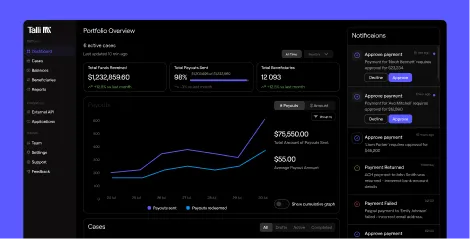
Within the platform, daily reconciliation should feed directly into dashboard views and live payout tracking. That keeps the payment ledger current throughout the campaign, not only at closeout.
Step 5: Capture Compliance Events in the Same Record
Treat compliance data as payment-critical ledger data, not side documentation.
A ledger is incomplete if it cannot explain why money was held, rejected, or released. That means the record should include:
- KYC verification outcome
- OFAC screening outcome
- W-9 requested and received dates
- release approval timestamp
- user or system actor that cleared the hold
That is important operationally and defensibly. Under OFAC FAQ 49, blocked and rejected transaction reports must be submitted to OFAC within 10 business days of the action. If your ledger cannot isolate rejected or blocked payment events with timestamps and reason codes, you create manual work exactly where you need the cleanest audit history. In a compliance-critical workflow, that gap is hard to defend.
Settlement tax workflows follow the same principle. The Form 1120-SF instructions explain that the return covers transfers received, income earned, deductions claimed, distributions made, and income tax liability for designated and qualified settlement funds. The return is generally due on the 15th day of the fourth month after the fund's tax year ends. The late-filing penalty can include a minimum penalty for returns more than 60 days late, limited to the lesser of the tax due or $525, adjusted for inflation. That is one more reason the ledger should roll cleanly into trust accounting, pricing review, and downstream tax support rather than stand apart from it.
What Courts Need From a Payment Ledger
Courts and auditors need a ledger that proves completeness, traceability, and final disposition for every approved payment obligation across every approved claimant.
They do not start with design questions. They start with proof questions:
- Can you show what was owed to each claimant?
- Can you show what was attempted, completed, returned, or reissued?
- Can you explain why any claimant was unpaid or delayed?
- Can you tie the claimant record to the funding account and final report?
That is why per-claimant detail matters more than averages in court reporting. Summary numbers are useful at the top of the report. They are not enough to defend the payment history underneath it.
For most teams, the safest output is a claimant-level export that includes:
- claimant identifier
- approved amount
- rail used
- current and final status
- payment timestamps
- exception notes
- linked reissue references
- final ledger balance per claimant
If a reviewer can sample ten claimants at random and trace each record from approved allocation to final outcome without asking for a second file, the ledger is doing its job.
Step 6: Prevent Double Counting in Payment Events
To avoid double counting, record each payment attempt as its own event and calculate claimant-level final disposition from the full event chain rather than from the latest spreadsheet row.
Use these rules:
- Count completed only when the payment reaches a final state.
- Count returned as a resolved event, not as a completed payment.
- Count reissued as a new payment event linked to the original failed event.
- Count unclaimed only after the campaign's stale-date or redemption rule is met.
- Keep claimant obligation and payment event totals separate in reporting.
This approach best supports both finance logic and legal logic. One claimant may have three payment events and still only one underlying entitlement. If your ledger collapses those into one row too early, you lose the audit trail. If you count each row as a separate paid claimant, you overstate results.
That is also why a real-time dashboard matters. Talli's public materials emphasize full audit transparency, dedicated segregated client accounts through Patriot Bank, N.A., and support for multiple payout rails in one campaign. Those are the controls that let the operating record preserve the event chain instead of flattening it.
Step 7: Automate Court-Ready Reporting Views
Generate summary outputs from the ledger instead of maintaining separate reporting workbooks.
Your base ledger should feed at least three views:
- an operations exception queue
- a finance reconciliation export
- a legal or court-facing summary
That last view matters because settlement teams rarely need only raw rows. They also need to show how the campaign performed. Talli's reporting framework emphasizes per-claimant transparency, payment method performance, and post-distribution accountability. When the ledger is structured correctly, those outputs become filtered exports instead of manual narrative rebuilds.
Claimant experience also affects reporting quality. Talli states that claimants can complete redemption quickly and that campaigns can see redemption rate gains of about 30% versus traditional methods. Higher redemption improves the claimant experience and reduces exception volume, reissue work, and the tail of unresolved balances that make final ledger production messy.
Automated exception handling can reduce claimant support backlog by routing unresolved ACH returns, expired links, and tax-document holds earlier, before they accumulate into manual cleanup work.
How Talli Automates Claimant-Level Ledger Production
Talli automates ledger production by keeping claimant identity, payout method, compliance checks, event history, and reporting outputs in one settlement-specific digital disbursement infrastructure.
In practice, that means:
- one claimant record across ACH, prepaid Mastercard, PayPal, Venmo, and gift card payouts
- automated KYC, OFAC, W-9, and 1099 workflow capture in the same payment record
- real-time status updates instead of delayed spreadsheet merges
- full audit transparency for each action and exception
- dedicated segregated client accounts that preserve settlement-level fund separation
- claimant portal activity tied to the same record
That architecture is what removes manual work. The goal is not to eliminate review. The goal is to eliminate re-keying, copy-pasting, duplicate files, and post hoc status interpretation.
For teams evaluating migration, the requirement is usually a claimant-level payment ledger that supports regulated payout operations, support workflows, and court reporting from the same operating record. Talli is built for that mix of modern claims disbursements, compliance automation, and full audit transparency.
If you are building the workflow now, start with Talli's platform overview. Then map your ledger requirements to the controls covered in Talli's security guide. For workflow fit, compare those controls against your status model, reconciliation cadence, and court-reporting requirements.
Common Mistakes to Avoid
Treating the bank statement as the ledger
A bank statement is necessary for reconciliation, but it is not the ledger. It cannot show claimant-facing statuses, compliance holds, or linked reissues by itself.
Letting one claimant have multiple identities
If the claimant key changes when the rail changes, every reissue becomes a reporting risk. Keep one stable claimant ID for the life of the settlement.
Mixing final states with in-flight states
delivered and completed are not always the same. Preserve both when the rail or settlement process requires a final-payment distinction.
Running compliance outside the record
If OFAC, W-9, or KYC decisions live in email or tickets, the ledger will never fully explain why a payment moved or stalled.
Building separate ledgers for exceptions
Use one ledger and many views. Separate files create conflicting versions of the truth.
Advanced Tips
- Add aging bands so unresolved payments can be grouped by 3, 7, 14, and 30+ day windows.
- Store both status code and status timestamp so you can reconstruct the event timeline without reading logs.
- Use linked payment IDs for reversals and reissues instead of overwriting the original record.
- Export control totals with every ledger file so finance can validate row counts and dollar counts immediately.
- Keep a final claimant balance field that resolves to paid, reissued, unclaimed, or zero balance at closeout.
Talli Conclusion
No single ledger workflow fits every settlement environment. A disciplined export and reconciliation process may be enough for a small one-rail payout with few exceptions. For teams managing multiple payout methods, compliance holds, stale balances, and court-facing review, the ledger needs to be event-based from the start. That keeps retries, reversals, and reissues from turning into manual cleanup later.
Talli is a strong fit when your priority is settlement-specific automation across regulated payout rails, claimant communication, compliance-critical controls, and full audit transparency in one operating record. It keeps ACH, prepaid Mastercard, PayPal, Venmo, and gift card events tied to the same claimant history. It also supports KYC verification, OFAC screening, W-9 collection, 1099 workflows, and dedicated segregated client accounts through Patriot Bank, N.A., Member FDIC.
The result is digital claims disbursement that increases redemption rates while preserving the audit trail fiduciaries need. If your team needs less chasing, more redemptions, and a court-ready export instead of a spreadsheet rebuild, book a demo.
Next Steps
Start by documenting your current claimant ID, payment ID, and status model. Then compare it against the workflow in this guide and the controls in Talli's developer docs. For operating cadence, review Talli's real-time payments guide. For status definitions, use the payment status guide. If your team is still stitching together exports by hand, use that gap analysis to evaluate Talli's claimant-level ledger workflow and court-ready reporting in one operating model.
Frequently Asked Questions
What should a claimant payment ledger include?
A claimant payment ledger should include claimant ID, payment ID, amount, rail, timestamps, current status, final disposition, exception reason, and compliance checkpoints.
How do you reconcile payments at the claimant level?
Reconcile claimant-level payments by matching the claimant obligation to the payout event, then to bank confirmation, rail confirmation, and reversal or reissue records.
Can you manage a claimant payment ledger in Excel?
You can manage a claimant payment ledger in Excel for a small, single-rail settlement, but it breaks once returns, reissues, compliance holds, or payment method changes enter the workflow.
What is the difference between a ledger and a report?
A payment ledger is the source-of-truth event record that tracks each claimant outcome from approval through final disposition. A settlement disbursement report is the summary layer built from that record for counsel, fiduciaries, and courts.
Which statuses belong in the ledger or queue?
The claimant ledger should contain every status, including approved, initiated, delivered, completed, returned, reissued, and unclaimed payment states. The queue should be a filtered view of unresolved or action-required records.
How often should claimant payment reconciliation run?
Claimant payment reconciliation should run daily while a settlement campaign is active, especially when the program uses ACH, prepaid cards, PayPal, Venmo, gift cards, or other reversible rails.
How do you prevent double counting after reissue?
Prevent double counting by keeping the claimant obligation separate from each payment event, while giving each attempt, reversal, and reissue its own linked ID.
How does Talli reduce manual ledger work?
Talli reduces manual ledger work by capturing payout events, compliance checks, claimant actions, and reconciliation data in one system across multiple payout rails. That setup removes most spreadsheet stitching and keeps the export ready for operations, finance, and legal review.